---
description: "Running SQL in FbExpert, reading the duration, rows, Firebird plan and statistics."
---
# SQL editor
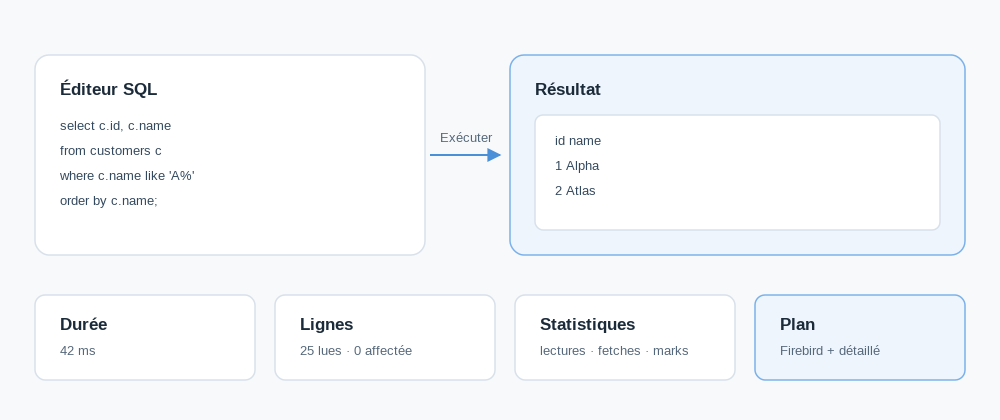
The SQL editor lets you run a single query or a whole script, then analyze the result, the duration and the Firebird plan.
Each execution produces a result, per-statement statistics and a Firebird plan.
## Running a query
1. select a database;
2. open the SQL tab;
3. enter the query;
4. click `Execute`.
```sql
select c.id, c.name
from customers c
where c.name starting with 'A'
order by c.name;
```
## Multiple statements
The `;` separator lets you chain several statements:
```sql
create table t_test (id integer, name varchar(50));
insert into t_test (id, name) values (1, 'un');
insert into t_test (id, name) values (2, 'deux');
select * from t_test order by id;
```
Each statement is committed separately.
## After execution
Below the editor:
```text
Durée : 42 ms - Lignes : 25 - Affectées : 0
Lectures : 12 - Écritures : 0 - Fetches : 148 - Marks : 3 - Mémoire : 2048 Ko - Buffers : 2048
```
The `Execution plan` button shows, for each statement:
- the duration;
- the rows read;
- the rows affected;
- the Firebird plan;
- the detailed plan with estimates.
### Plan example
PLAN (CUSTOMERS CUSTOMERS_INDEX_NAME INDEX (CUSTOMERS_INDEX_TERME_CA_CI_AI))
## Snippets
The `Snippets` button inserts a SQL template prepared for the database's Firebird version.
Snippets are available:
- from the SQL editor;
- from the migration workshop;
- in the `Tools > SQL snippets` menu.
## Formatting
The `Format` button applies SQL formatting. The options let you set:
- keyword capitalization;
- indentation;
- line breaks;
- comma style.
## Security
Execution is controlled by:
- the user's permissions on the database;
- the SQL guard;
- demonstration mode, which is read-only.
::: warning Destructive scripts
`DELETE`, `UPDATE`, `DROP` and `ALTER` really execute. Check the database and the `WHERE` clause before running.
:::