
Database comparer
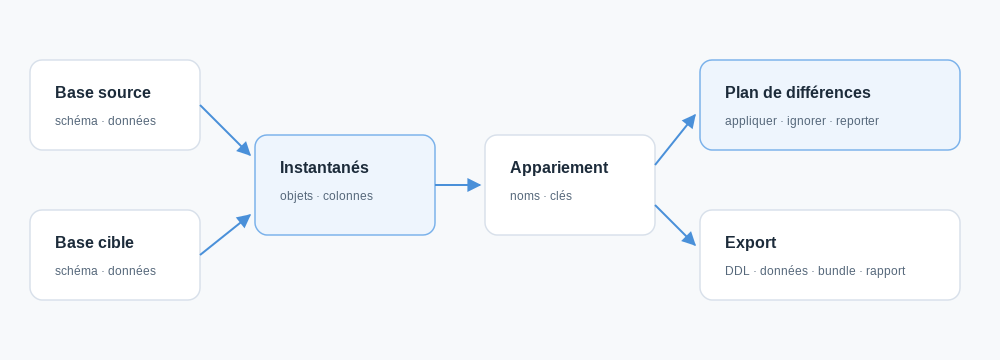
The comparer checks two Firebird databases against each other and produces a plan of differences: structure, columns, keys, indexes, dependencies and data.
Opening the comparer
Tools > Database comparer, or the link on the Migration page.
Steps
1. Choose the databases
- source database;
- target database;
- comparison options.
2. Analyze
The comparer builds schema snapshots and collects:
- objects present or missing;
- columns added, removed or changed;
- types and lengths;
- primary and foreign keys;
- indexes;
- dependencies;
- data, if requested.
3. Match
Objects can be:
- matched automatically;
- renamed;
- ignored;
- marked as new.
4. Decide
For each difference:
- apply;
- ignore;
- postpone;
- keep the target version.
5. Test
The test checks:
- dependencies;
- key consistency;
- mandatory columns;
- type conversions;
- blockers before export.
6. Export
The result can be:
- a DDL script;
- a data script;
- a bundle;
- a comparison report.
Best practices
- compare the structure alone first;
- handle dependencies before data;
- test the script on a copy;
- keep the comparison report with the project.
TIP
A comparison plan can be saved as a session and resumed later.