
Projects and Kanban
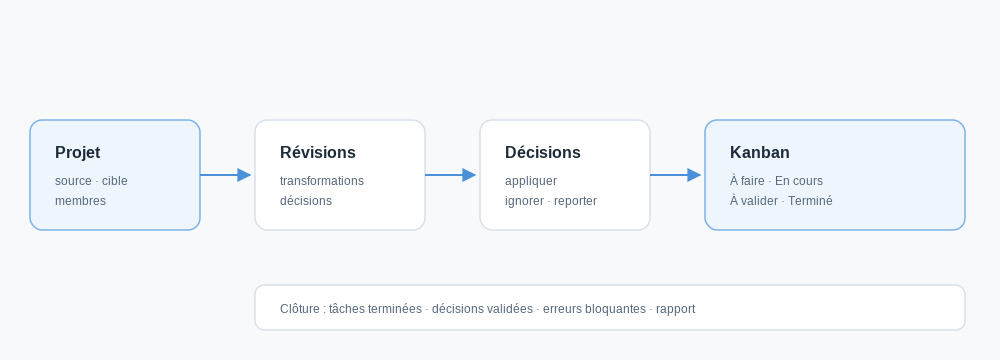
Transformation projects gather the scope, decisions, revisions and tasks of a migration.
Creating a project
A project contains:
- a name;
- a description;
- a source;
- a target database;
- members;
- revisions.
The project can be created from the migration workshop or from the Projects page.
Revisions
A revision freezes:
- the transformations;
- the decisions;
- the migration plan;
- the comments.
You can compare two revisions and revert to an earlier version.
Members and roles
Members can have different roles:
- owner;
- editor;
- reader;
- validator.
Permissions depend on the role and on the database access.
Kanban
The Kanban board shows tasks by status:
text
À faire | En cours | À valider | TerminéYou can:
- create a task;
- move it;
- assign it;
- add a due date;
- open the linked project.
Closing
Closing a project checks:
- completed tasks;
- pending decisions;
- unapproved revisions;
- blocking errors.
A closed project remains readable but should no longer be modified.
Best practices
- one revision before each apply;
- one task per important decision;
- a migration report;
- archive the reports and scripts.