
Transformations
Transformations describe how to adapt the data and objects of a source to Firebird: renaming, conversion, cleaning, calculations and functions.
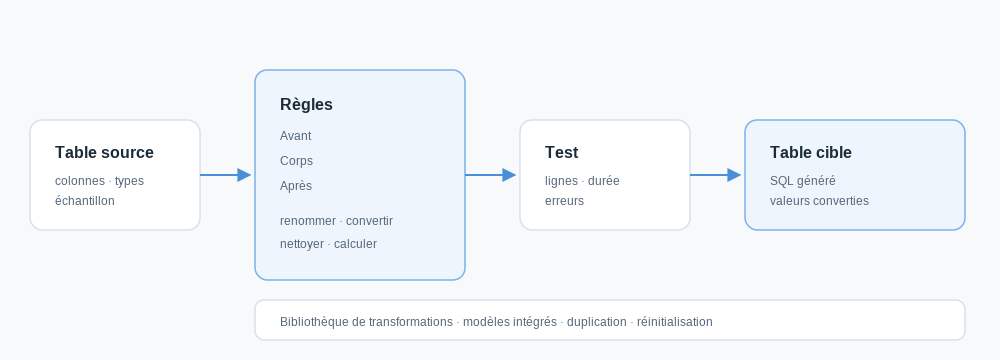
Three tools
| Tool | Purpose |
|---|---|
| Per-table transformations | rules applied to a specific table |
| Transformation wizard | guided construction of an expression |
| Transformation library | catalog of reusable templates |
Per-table transformations
A transformation can contain:
- Before rules;
- a Body;
- After rules.
Each rule can:
- rename a column;
- change a type;
- apply a SQL function;
- replace a value;
- ignore a column;
- call a UDR routine.
Test
The test runs on a sample of real data:
- number of rows tested;
- duration;
- errors;
- values produced.
This makes it possible to detect impossible conversions before the import.
Transformation wizard
The wizard helps you:
- choose a function;
- compose an expression;
- check the arguments;
- test the result;
- insert the rule into the table.
Transformation library
The library contains built-in and custom templates:
- text cleaning;
- date normalization;
- type conversion;
- extracting parts of a string;
- HTML processing through UDR.
You can:
- preview;
- duplicate;
- adapt;
- test;
- reset the built-in templates.
UDR and HTML
Some processing relies on UDR routines, in particular HTML cleaning. Declaring and testing them is done in Tools > UDR modules.
WARNING
A transformation that changes a key column can break dependencies. Test keys and constraints before applying.