
UDR
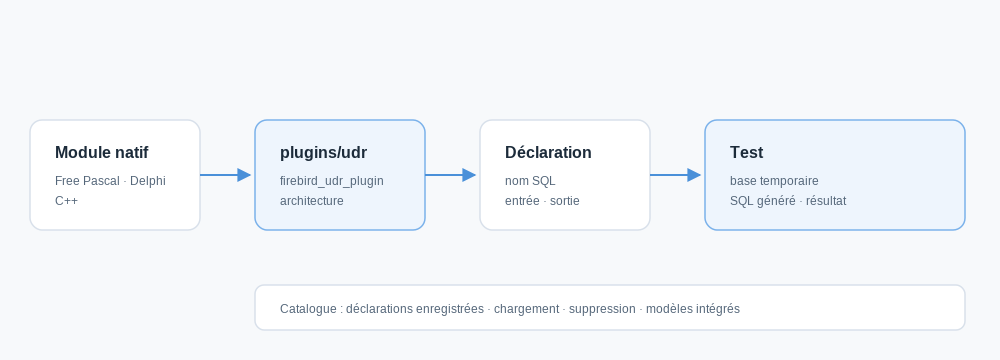
UDRs (User-Defined Routines) let you call external native functions from Firebird, in particular for text processing, HTML or specialized calculations.
Version
UDRs require Firebird 3.0 or later. Firebird 2.5 only supports the older UDFs.
Tabs
The UDR page is organized into three tabs:
| Tab | Content |
|---|---|
| Modules | installed modules, installing a module |
| Catalog | registered declarations |
| Declaration & test | form, generated SQL, test |
Modules
The kit selector at the top chooses the Firebird version.
The module list shows:
- file;
- architecture;
- presence of the
firebird_udr_pluginentry point; - exports;
- number of declarations;
- size;
- date.
Actions:
Use: prepares a declaration and opens the editing tab;Remove: deletes the module from the kit.
Installing a module
Two options:
- upload a file;
- specify a local path.
You then choose the target kits and whether an existing file should be replaced.
The module is copied into the kit's plugins/udr folder.
Catalog
The catalog lists the known declarations:
- module;
- entry point;
- SQL name;
- type: function or procedure;
- description.
Load opens the declaration in the editing tab.
Declaration
The form contains:
- routine type;
- SQL name;
- module;
- entry point;
- return type or output parameters;
- input parameters;
- test argument;
- description;
- test cast.
Actions:
Skeleton: prefills a declaration;Save: stores it in the catalog;Generate: produces the SQL;Copy: copies the SQL;Test: runs it in a temporary database.
Test
The test shows:
- success or error;
- duration;
- rows;
- columns and values.
It can use HTML content converted into a UTF8 BLOB SQL argument.
Plain text
The TEXT_ONLY parameter (TRUE) returns the text instead of the sanitized HTML: tags removed, entities decoded, whitespace normalized, one space between blocks. Useful for indexing or searching.
select cast(
         html_clean(
           cast('<p>Bonjour <b>monde</b></p>' as blob sub_type text character set utf8),
           text_only => true)
         as varchar(4000))
from rdb$database;
-- Bonjour monde
Declaration
TEXT_ONLY is the 9th parameter, after the charsets. A function declared with the old signature (8 parameters) does not receive it: use DROP FUNCTION followed by the catalog declaration, or CREATE OR ALTER with the parameter added.
Compiling a module for Linux
The sample html_clean module (tools/udr-html) is built with .NET NativeAOT. Cross-compilation from Windows to Linux is not supported (Cross-OS native compilation is not supported): the .so must be produced on Linux.
# sur la machine Linux (SDK .NET 10, clang, zlib-devel)
sudo bash tools/udr-html/build-linux.sh --kits 5.0
# → /var/lib/fbexpert/engines/5.0/plugins/udr/FbExpertUdrHtml.so
The script publishes -r linux-x64, installs the module in each requested kit (--kits 5.0,6.0), sets the fbexpert owner and prints the SQL declaration. --install-deps adds clang, zlib-devel and dotnet-sdk-10.0 via dnf; --no-install limits the run to compilation.
Things to watch out for
- the module must match the architecture of the kit;
- the entry point must exist;
- the return type must match the declaration;
- SQL literal errors are often caused by apostrophes that are not doubled.